Skip to content
View in the app

A better way to browse. Learn more.

Hanspeter Kruesi .com

A full-screen app on your home screen with push notifications, badges and more.

To install this app on iOS and iPadOS
  1. Tap the Share icon in Safari
  2. Scroll the menu and tap Add to Home Screen.
  3. Tap Add in the top-right corner.
To install this app on Android
  1. Tap the 3-dot menu (⋮) in the top-right corner of the browser.
  2. Tap Add to Home screen or Install app.
  3. Confirm by tapping Install.
Search Tags !

Jazz Guitar Essentials ( Mixolydian Mode ) - Tabs & Backing Track 1.0.0

(0 reviews)

2 Screenshots

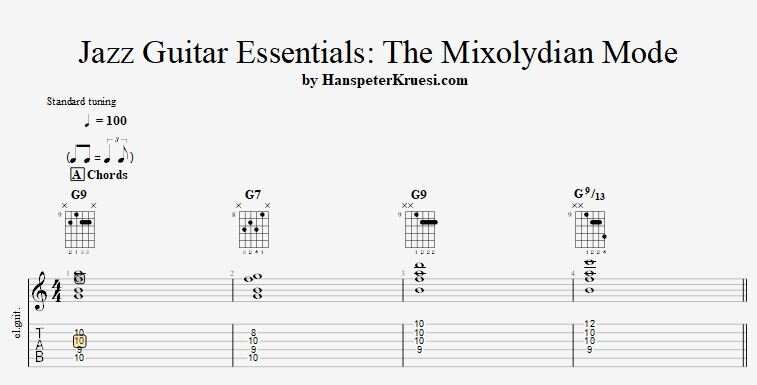
Here you find some essential chords and mode patterns which you can use with the G mixolydian mode. I also wrote down some lick ideas which help you to understand how the mixolydian mode in fact is used in a jazz guitar setting. You mostly work around the chord notes and the 3rd in specific. On the 3rd you mostly use and approach note which in this case of G mixolydian is the A# which leads to the B ( 3rd of G7 ).

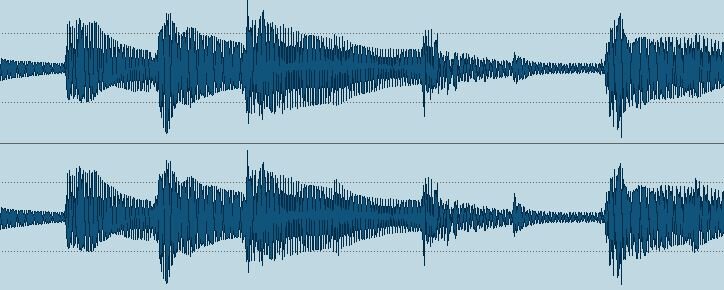
The backing track is produced in a manner that you might think you are inside the birdland club in NY.

These files are associated to this tutorial :

User Feedback

You may only provide a review once you have downloaded the file.

There are no reviews to display.

Account

Navigation

Search

Search

Configure browser push notifications

Chrome (Android)
  1. Tap the lock icon next to the address bar.
  2. Tap Permissions → Notifications.
  3. Adjust your preference.
Chrome (Desktop)
  1. Click the padlock icon in the address bar.
  2. Select Site settings.
  3. Find Notifications and adjust your preference.