Skip to content
View in the app

A better way to browse. Learn more.

Hanspeter Kruesi .com

A full-screen app on your home screen with push notifications, badges and more.

To install this app on iOS and iPadOS
  1. Tap the Share icon in Safari
  2. Scroll the menu and tap Add to Home Screen.
  3. Tap Add in the top-right corner.
To install this app on Android
  1. Tap the 3-dot menu (⋮) in the top-right corner of the browser.
  2. Tap Add to Home screen or Install app.
  3. Confirm by tapping Install.
Search Tags !

Blues Guitar Improvisation Concept Tabs & Backing Track 1.0.0

(0 reviews)

2 Screenshots

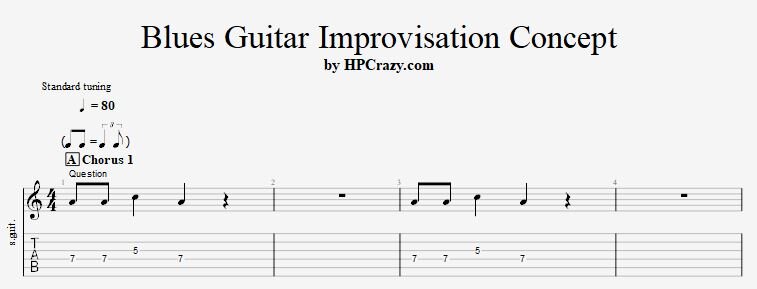
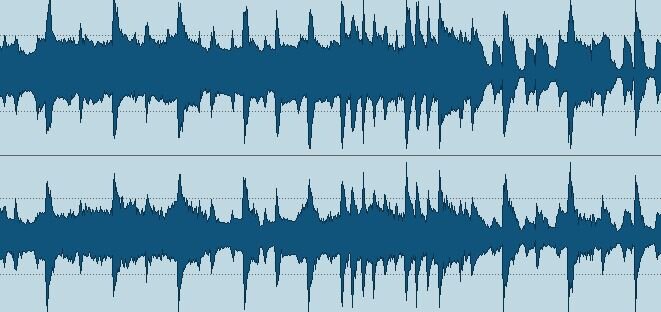
The concept of blues guitar improvisation is very easy and explained in less than a half an hour. But you can work on this concept for 30 years and you still will find something new which you have never tried before. The guitar tabs attached here are showing you 3 chorus how to develop a blues guitar improvisation in the key of Am. This example is for blues guitar beginners, but if you have never done this before it's a " Must Have " for any guitar playing level. The backing track you can download here is a 12 bar blues in the key of A in the tempo of 80 bpm and helps you to practice those tabs in a relaxed manner.

These files are attached to this tutorial here :


User Feedback

You may only provide a review once you have downloaded the file.

There are no reviews to display.

Account

Navigation

Search

Search

Configure browser push notifications

Chrome (Android)
  1. Tap the lock icon next to the address bar.
  2. Tap Permissions → Notifications.
  3. Adjust your preference.
Chrome (Desktop)
  1. Click the padlock icon in the address bar.
  2. Select Site settings.
  3. Find Notifications and adjust your preference.