Skip to content
View in the app

A better way to browse. Learn more.

Hanspeter Kruesi .com

A full-screen app on your home screen with push notifications, badges and more.

To install this app on iOS and iPadOS
  1. Tap the Share icon in Safari
  2. Scroll the menu and tap Add to Home Screen.
  3. Tap Add in the top-right corner.
To install this app on Android
  1. Tap the 3-dot menu (⋮) in the top-right corner of the browser.
  2. Tap Add to Home screen or Install app.
  3. Confirm by tapping Install.
Search Tags !

Basic Rock Guitar Training ( Basic Licks ) - Tabs & Backing Track 1.0.0

(0 reviews)

2 Screenshots

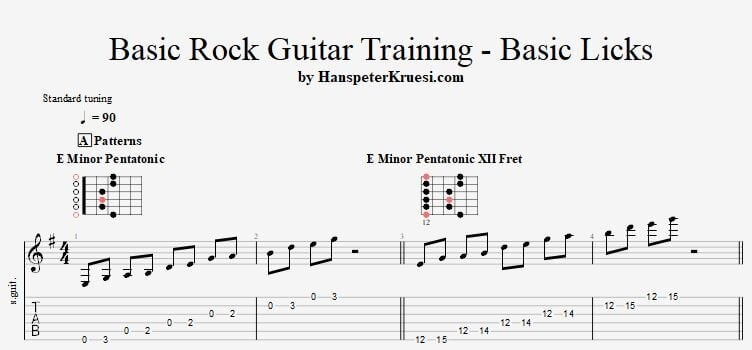
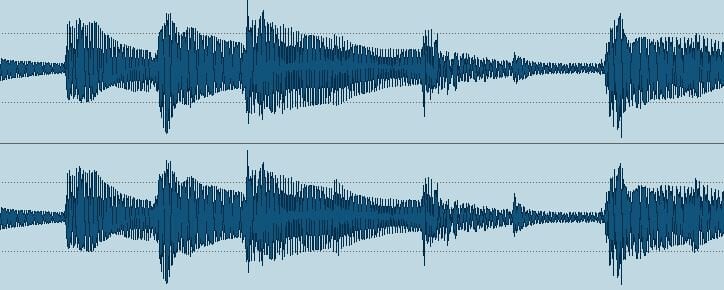
Here you find a selection of basic rock guitar licks in the key of Em. The advantage of this key is that you can practice the basic licks in the root position of the E minor pentatonc which is in an open string position and once you feel confortable with it you can move those licks in the regular postition of the minor pentatonic in the Xiith fret. These licks are also meant to pay attention to your picking hand and to build up stability in your whole system of the left and the right hand while playing those licks. The backing track is in 90 bpm. If the 16th notes are too fast for you - no problem just practice the licks with 8th notes.

These files are associated to this tutorial :

User Feedback

You may only provide a review once you have downloaded the file.

There are no reviews to display.

Account

Navigation

Search

Search

Configure browser push notifications

Chrome (Android)
  1. Tap the lock icon next to the address bar.
  2. Tap Permissions → Notifications.
  3. Adjust your preference.
Chrome (Desktop)
  1. Click the padlock icon in the address bar.
  2. Select Site settings.
  3. Find Notifications and adjust your preference.