
Leaderboard



Popular Content
Showing content with the highest reputation on 11/18/2025 in all areas
-
Jazz Guitar - Easy Mixolydian Mode
Randy and one other reacted to medikon for a post in a topic
2 pointsVery helpful and concise tutorial on working with the mixolydian mode on the guitar. Thanks, Hanspeter!2 points -
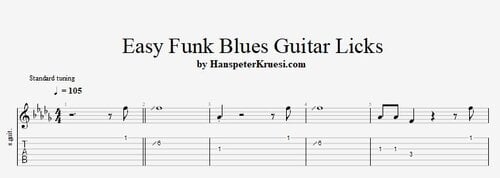 Here you find a cool selection of easy funk blues guitar licks for a funk blues in F using just the pentatonics. The key to success is the rhythm precision. The backing track is 105bpm - Don't be afraid of the tempo just stay in the vibe and try to place your notes cool and realaxed. These files are associated to this tutorial :Free1 point
 -
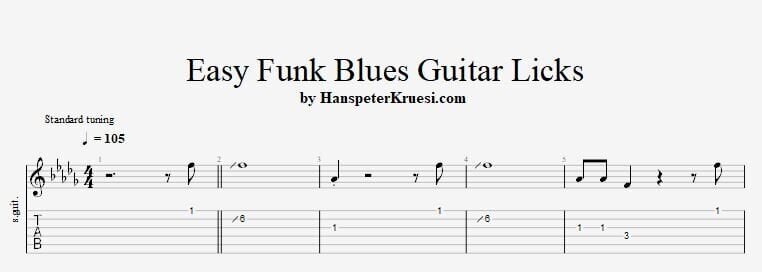
1 pointHere I show you some quit easy funk blues guitar licks. These are licks you probably have played before but the key to success is the precision in the rhythm. Here you can download the files associated to this tutorial : If want to become better in rhythm guitar or rhythm in generell I strongly recommend that you start working on your rhythm studies :
 1 point
 -
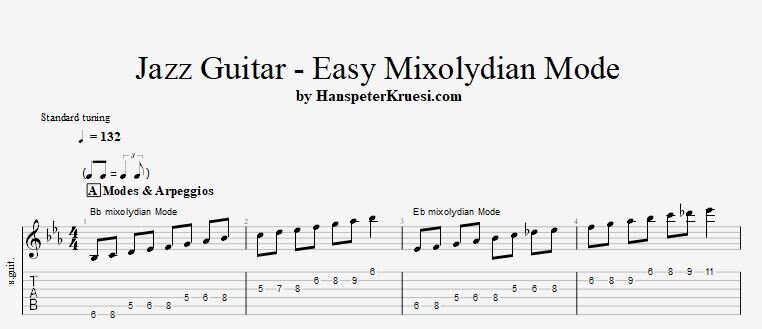
Here I show you the easy steps to understand and to use the mixolydian mode in a jazz guitar setting. The example tune which I show how you can use the mixolydian mode is " Freddy Freeloader ". Here you can download the files associated to this tutorial : If you want to learn the tune " Freddy Freeloader " - here you find the tutorial :
 1 point
 -
I found a simple solution for our task here : I have blocked now the free entry of the clubs. New members need to get invited by the Admin ( me ) - so it will be like this for the moment. Any new member who upgraded to premium membership will get invited personally by me to join the students forum. If the membership expires does not matter but with a purchased premium membership a member has already proven to be a serious contributor to the community and this will keep spammers outside. If the spamming starts in the replies of any topic I will make this feature available only for premium members. That's overall the easiest way to adress this current new problem of a lot of traffic but also a lot of AI bots and spammers.1 point
-
Ok the next spammer came here - I will change the system in the next few days that only Premium Members in fact can anwser any posts or open any post. I can not contoll every few hours if a new spammer came to the website.1 point
-
As a result of this I needed to remove the very first spam entries here from the Guitar Academy. That's basicly a good sign and shows the rising relevance of the Guitar Academy but might be forced to change a few things in the near future. One messure which comes to my mind that only Premium Members are allowed to post new topics or reply to topics. We will see how it develops. If it stays moderate with the spam then i'll keep it this way. I am really tired of technical background work since August. But I want to share a great news : My latest Tutorial https://www.hanspeterkruesi.com/members/topic/3415-easy-creative-rock-lead-guitar-tricks/ has ranked no 2 beside GuitarTricks.com - this is the marketleader and I was an instructor there back from 2006-2012. I left them because I wanted to go my own ways. https://www.guitartricks.com/instructors/2232301 point
-
Hi HP, thank you for this, it's a challenge for me! Regards Fredy1 point