
Leaderboard


Popular Content
Showing content with the highest reputation on 10/22/2025 in all areas
-
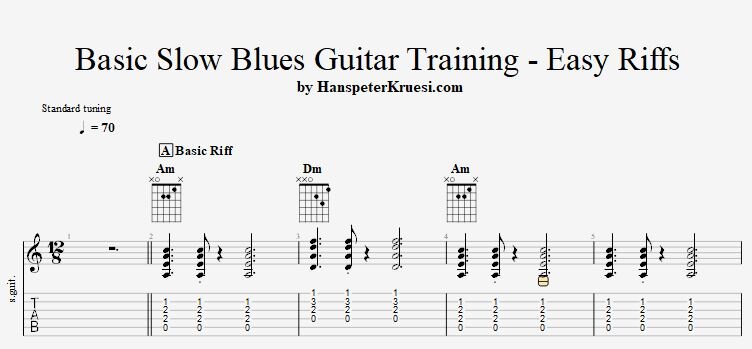
Here I show you all you need to know to play great sounding slow blues guitar riffs. The key is to first work on the foundation of playing guitar and then to move on to the expression and vibe you want to express on guitar. Here you can download the files associated to this tutorial :
 1 point
 -
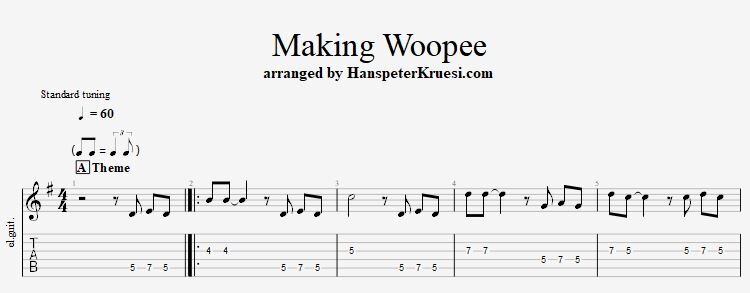
1 pointHere I show you a cool arrangment of the jazz tune " Making Woopee " which are interpretated by many artists such as Louis Armstrong, Ella Fitzgerald, Frank Sinatra and Michele Pfeiffer. I am referring to the version in the movie Fabulous Baker Boys with Michele Pfeiffer. My arrangment I wrote is for jazz guitar. Here you can download the files associated to this tutorial :
 1 point
 -
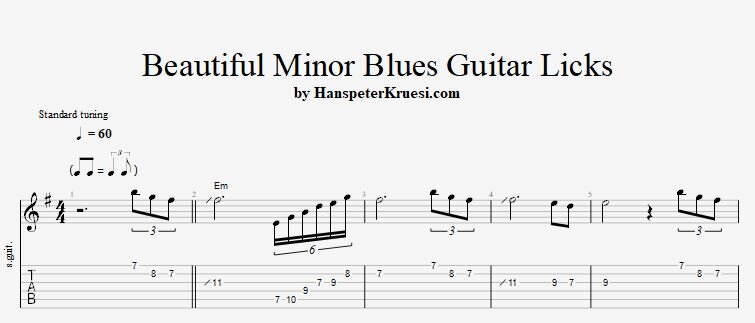
Here I show you one chorus of beautiful minor blues guitar licks but what is way more important I analyse for you the theory, the playing technique and the structure of the licks that you understand in depth the entire mindset of this one chorus of minor blues guitar licks. Here you can download the files associated to this tutorial :
 1 point