Skip to content
View in the app

A better way to browse. Learn more.

Hanspeter Kruesi .com

A full-screen app on your home screen with push notifications, badges and more.

To install this app on iOS and iPadOS
  1. Tap the Share icon in Safari
  2. Scroll the menu and tap Add to Home Screen.
  3. Tap Add in the top-right corner.
To install this app on Android
  1. Tap the 3-dot menu (⋮) in the top-right corner of the browser.
  2. Tap Add to Home screen or Install app.
  3. Confirm by tapping Install.
Search Tags !

Leaderboard

Popular Content

Showing content with the highest reputation on 10/11/2025 in Posts

  1. Equipment advise

    Randy reacted to admin for a post in a topic

    1 point
    Very cool 😊 You can use the factory presets to start. The great thing with Fractal Audio is that in fact the factory presets already sound great and then you work it out step by step - it's a long journey but here you have all possibilites which are available. Or you come over to the studio and we make a session - there I can give you some first really cool tips. Here is a blog entry which might be in your interest :
  2. Equipment advise

    Randy reacted to Fredy for a post in a topic

    1 point
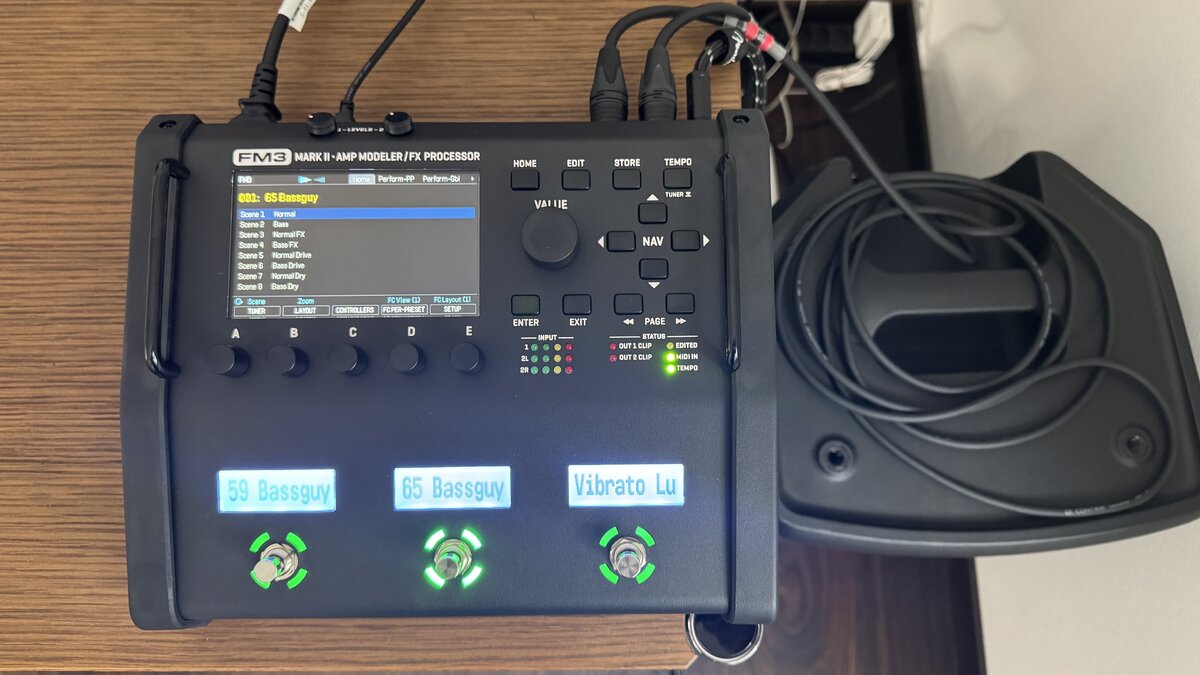
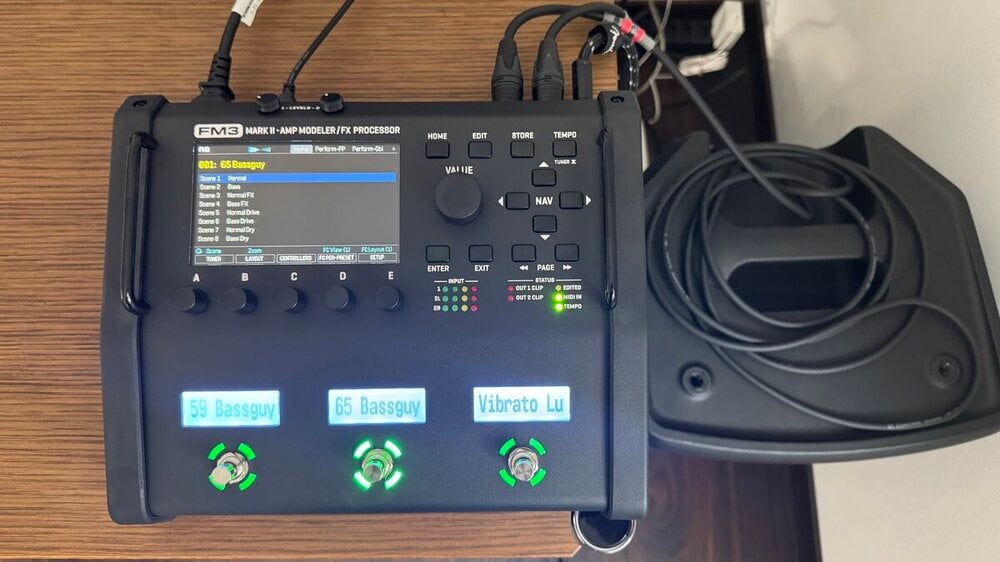
    I just received my FM3 Mark II Modeler, which is a very impressive device. However, after setting it up, I was somewhat disillusioned. The settings are so diverse that I am feeling a bit overwhelmed. Well, I hope I can figure it out, otherwise I will ask HP for a private lesson.
  3. Basic Rock Guitar Training - Chords

    Randy reacted to admin for a post in a topic

    1 point
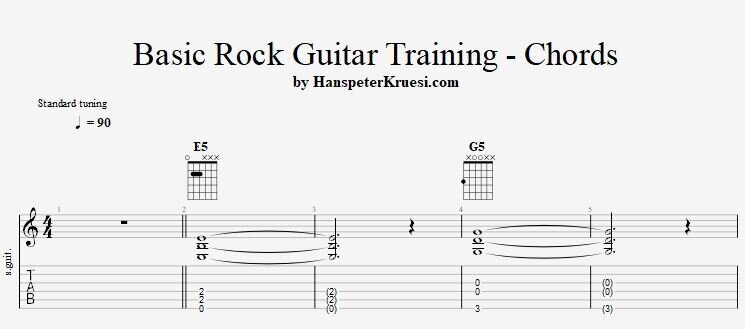
    Here you learn the essential and basic but also not basic chords which are used in rock guitar guitar. The chords are easy to grab but pay close attention to my instruction to learn if properly from the beginning on.
Account

Navigation

Search

Search

Configure browser push notifications

Chrome (Android)
  1. Tap the lock icon next to the address bar.
  2. Tap Permissions → Notifications.
  3. Adjust your preference.
Chrome (Desktop)
  1. Click the padlock icon in the address bar.
  2. Select Site settings.
  3. Find Notifications and adjust your preference.