
Leaderboard


Popular Content
Showing content with the highest reputation on 02/28/2024 in Files
-
1 point
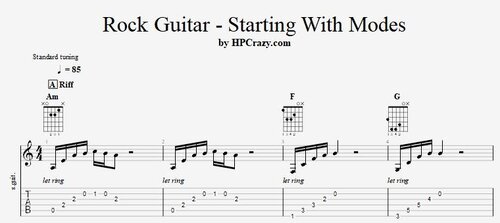 Here you find some basic exercises where you can start using modes on a rock guitar track. The chord progression is very simple with Am / Am / F / G . This gives you time to figure out the different modes and start to use them as showed in the exercises. These files are associated to this tutorial :Free1 point