
Leaderboard


Popular Content
Showing content with the highest reputation on 01/30/2024 in Files
-
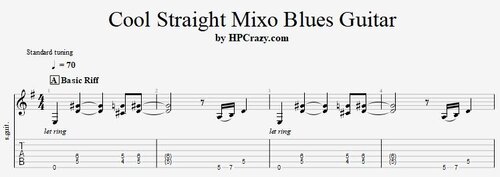 Here you find a cool straight blues guitar riff in the key of E. But it's not really the key - since the chords are E7 / D7 / A7 / B7alt. So you mix the solo with mixolydian ideas and E minor blues pentatonic to make it sound great. I wrote one example how you can mix the modes and create a great and rich sound with only a few notes. The backing track is an original of mine. These files are associated to this tutorial :Free1 point