
Leaderboard


Popular Content
Showing content with the highest reputation on 10/18/2023 in all areas
-
Here I show you how to work with the mixolydian mode on a simple practice backing track with A7 / A7 / D7 / D7. I will show you the main patterns you need to know to cover the entire fretboard and a few licks that you understand how to use the mixolydian mode in a blues guitar setting. Here you can download the files associated to this tutorial :1 point
-
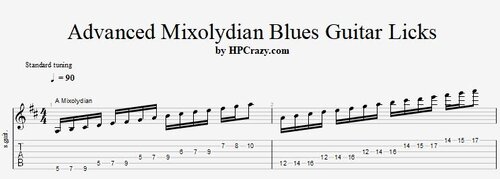 Here you find a selection of mixolydian blues guitar licks which you can use on A7 and D7 or any other chord when you transpose them to the new chord. The backing track is great to practice those licks since it repeats this form here as a vamp : A7 / A7 / D7 / D7 These files are associated to this tutorial here :Free1 point