
Leaderboard


Popular Content
Showing content with the highest reputation on 10/03/2023 in Files
-
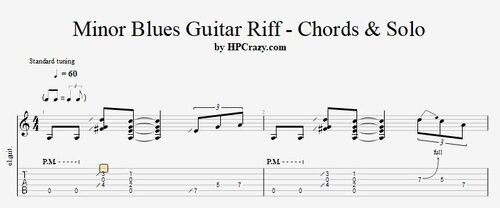 Here you find some really cool examples of a minor blues riff in the key of Am in combination with some fill-ins. There are 2 backing tracks added. One is only drums and bass and the 2nd one has an organ added if you don't feel confortable with the puristic trio formation. These files are associated to this tutorial :Free1 point