
Leaderboard


Popular Content
Showing content with the highest reputation on 08/07/2023 in Files
-
1 point
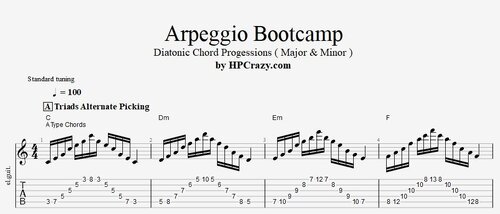 Here you find a whole series of arpeggio exercises which represent all you can do if you want to enter the world of arpeggio's used as a tool in your soloing. These exercises are extremely demanding so I strongly recommend that you plan a few months of practice work for them. Even they seem to be very hard I recommend these exercises also for intermediate players because with these exercises you also learn where the chord notes of a specific chord all are which helps you a lot in your slow hand solo where you want to figure out the target notes which in fact are the notes from the arpeggio's. These files are associated to this tutorial : The exercises are showing you the diatonic triads of A, E and C type chords. Also crosscheck these exercises with your exercises of modes. The modes exercises are in the shape of the A and E type chords At the end you find the same arpeggio's with sweep picking technique which I only recommend for advanced players if you want to go for speed. They take a lot of practice work and are only recommended when you play guitar on a daily basis.Free1 point