
Leaderboard


Popular Content
Showing content with the highest reputation on 06/02/2023 in all areas
-
Easy Jazz Guitar Smooth Phrasing - Tabs & Backing Track
PurpleGecko reacted to admin for a file
1 point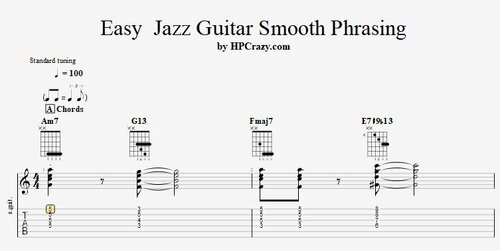 Here you find some tabs which help you to develop a cool and laid back jazz guitar. The phrasing is the key to any cool jazz guitar chords or improvisations so I strongly recommend that you check out these files. The backing track is drums, bass and piano on 100 bpm. These files are associated to this tutorial here :Free1 point
 -
1 pointIn Jazz guitar the phrasing is a very important part of your groove and your laid back feel which makes even simple melodic motives sound smooth and cool. In this tutorial I show you the main tricks which are needed to start to sound smooth and cool on a jazz guitar. This tutorial is a " MUST HAVE " for all fans of jazz guitar. Here you can download the files associated to this tutorial :1 point
-
Reordered the navigation again - now all important parts of the site are easy to find in the navigation - I also changed the donation page now : https://www.hanspeterkruesi.com/members/clients/donations/1 point