
Leaderboard


Popular Content
Showing content with the highest reputation on 02/04/2023 in Files
-
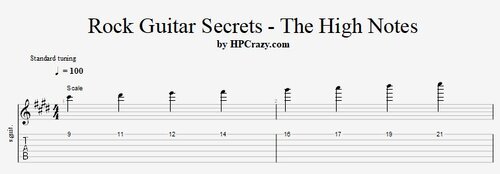 Here you find a few idea's and scales to work on the high E-string in the key of C# minor. The backing track attached is also in the key of C# minor. These files are associated to this tutorial here :Free1 point
 -
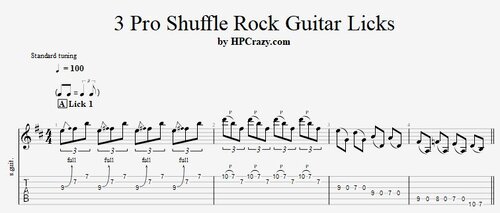 Here you find 3 shuffle rock guitar licks which work in the key of Bm. The first one is a classical pentatonic lick, the 2nd one is using the blues scale and the 3rd one is following the chords with sweep picking arpeggio's. The backing track is on 100 bpm. These files are associated to this tutorial here :Free1 point
 -
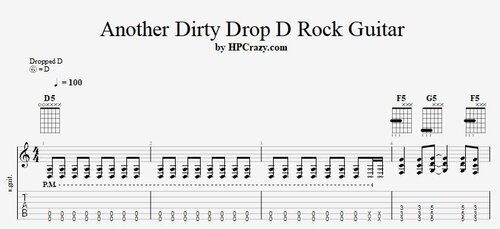 Here you find some cool tabs of a rock guitar riff in key of Dm and played with a drop D tuning. There are a few figures displayed which you can play the way they are showing. The backing track is only drum and bass so you can work on your rock guitar trio sound. These files are associated to this tutorial here :Free1 point
 -
1 point
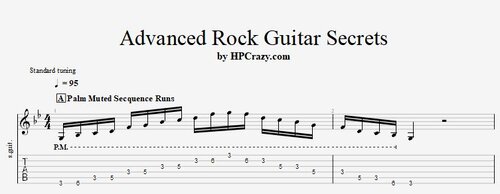 Advanced Rock Guitar Secrets - Tabs & Backing Track Here is a selecetion of advanced rock guitar licks in the key of Gm. You can practice them best to the backing track attached here as well. These files are associated to this tutorial here :Free1 point